How your payout is built
A successful unload pays your bank and awards trucking XP. The offer shows the starting pay; the final payslip explains bonuses and cargo deductions. Dispatch also texts the result when you have a phone.
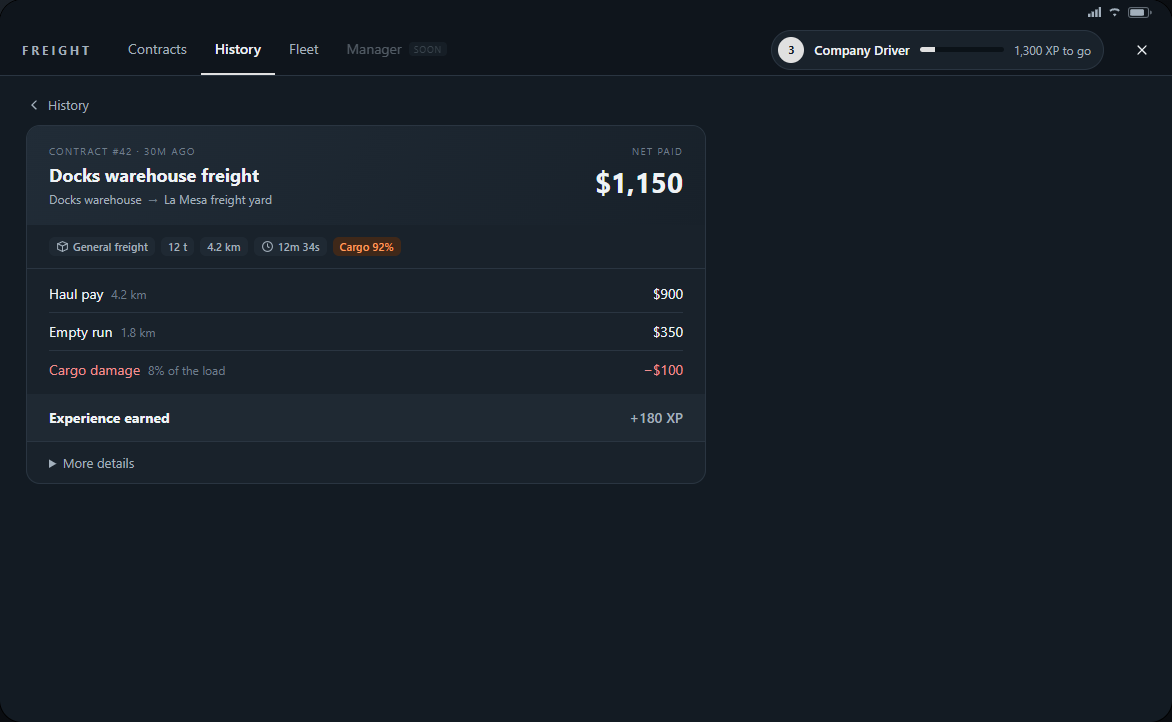
- Haul pay covers the loaded route. Empty run pays for the journey to pickup. Route kilometres are estimates, not every kilometre you choose to drive.
- Fuel-station resupply pays the station's rate per litre received, with no shortage bonus or distance pay. Urgent freight adds its on-time bonus only if delivered before the deadline.
- Hauling freight with your own trailer behind your own truck adds 30% of the haul pay. This bonus does not multiply the empty-run payment or urgent bonus and does not apply to fuel-station deliveries. Owning a truck alone adds no pay bonus.
- Cargo deductions list damage, spills, spoilage, rollovers or swerves. Net paid is the amount credited; Experience earned is the XP awarded.
Reviewing your work
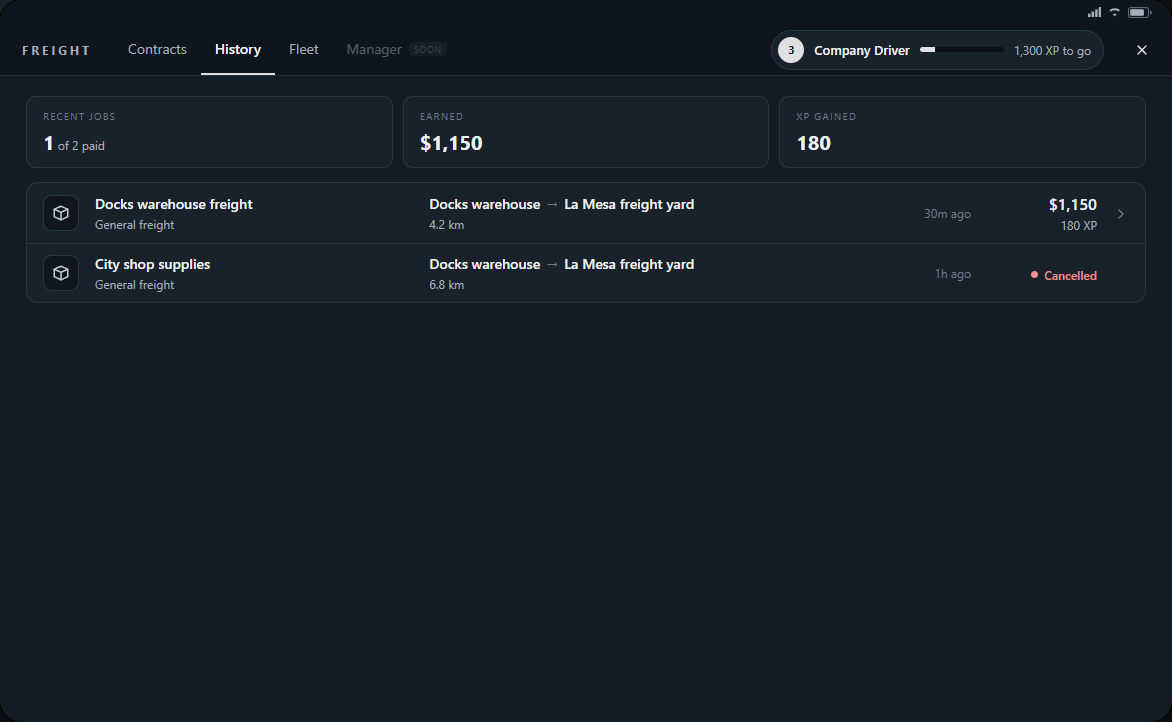
- Press F6 and choose History. The log lists your last 30 finished contracts, including cancelled, failed and review entries.
- Find a completed delivery and click its row to open the payslip. Read Net paid, Experience earned and each pay or deduction line.
- Open More details for the trailer, truck, empty leg and any cold-chain or deadline information.