Reading the freight board
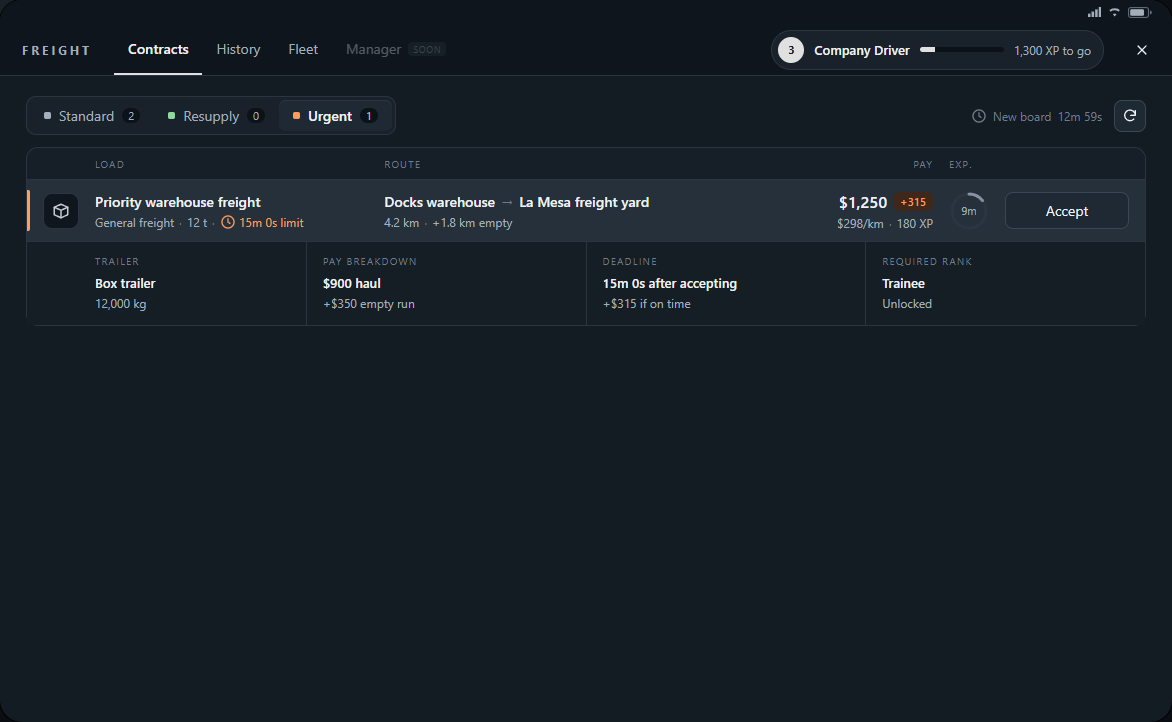
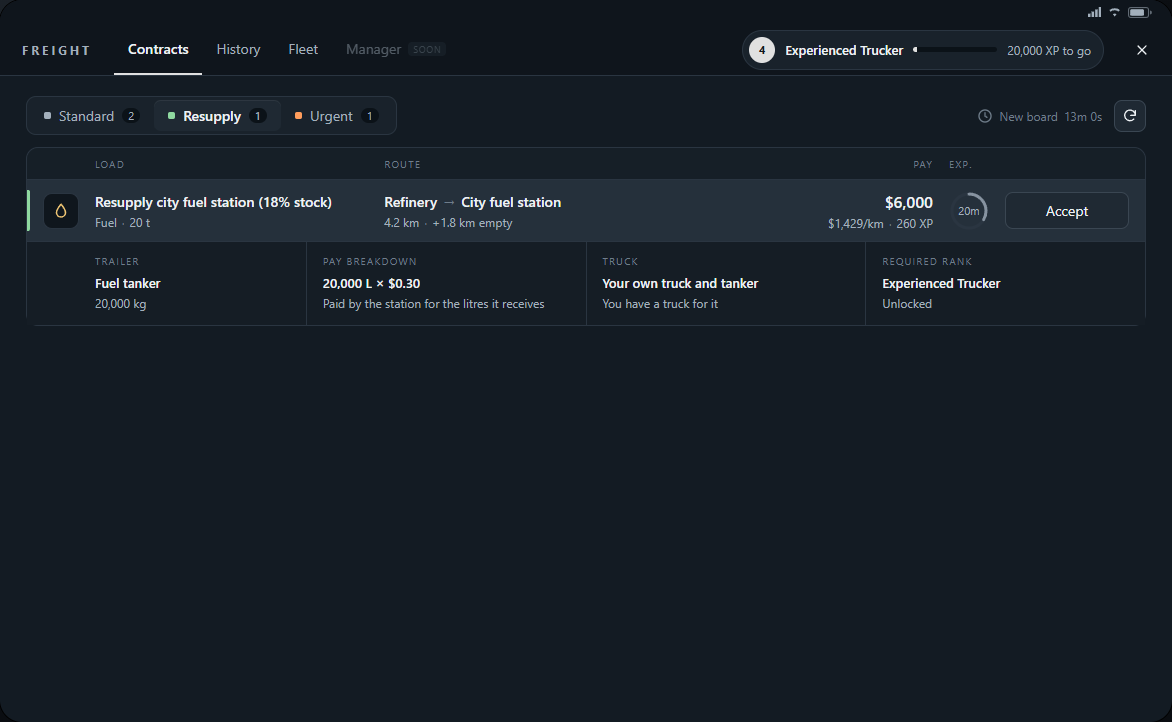
Press F6 and open Contracts while on duty. Standard is ordinary freight, Urgent adds an on-time bonus, and Resupply carries fuel to stations running low. Resupply opens at Experienced Trucker, needs a truck and a tanker of your own, and may be empty when stations have enough stock.
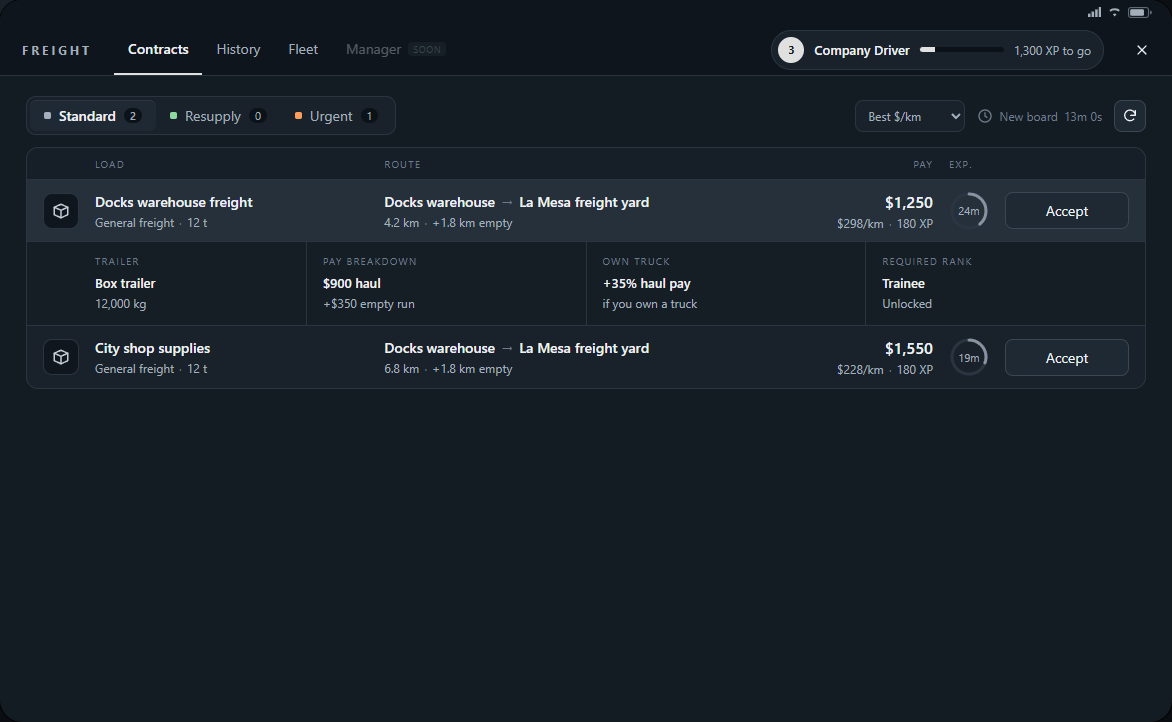
- Load shows cargo and weight; the expanded row names the supplied trailer and required rank.
- Route shows pickup to destination. The extra empty distance is the run to pickup; plan time and fuel for both legs.
- Pay and XP are the advertised contract rewards. Bonus chips show possible extras; cargo damage can reduce your final payment.
- Exp. is how long the offer remains available. New board counts down to a new set of offers; Refresh dispatch checks the current board.
- Use Best $/km, Highest pay or Expiring soon to compare offers. A rank lock or No rig means you cannot take that load with your current rank and truck options.
Accepting and preparing
- Clock in and visit the depot. Accepting ordinary board work and collecting a rig require being there.
- Check the destination, empty leg, cargo and requirements. Pick a route you have time to complete and plan fuel stops before leaving.
- Press Accept, then collect a suitable rig. You can hold one active contract at a time.
Changing plans and taking backhauls
Open the three-dot menu on the current contract and choose End contract. Read the confirmation before releasing it: unfinished work pays nothing and starts a 60-second dispatch cooldown. Returning an unfinished rig also releases the contract.
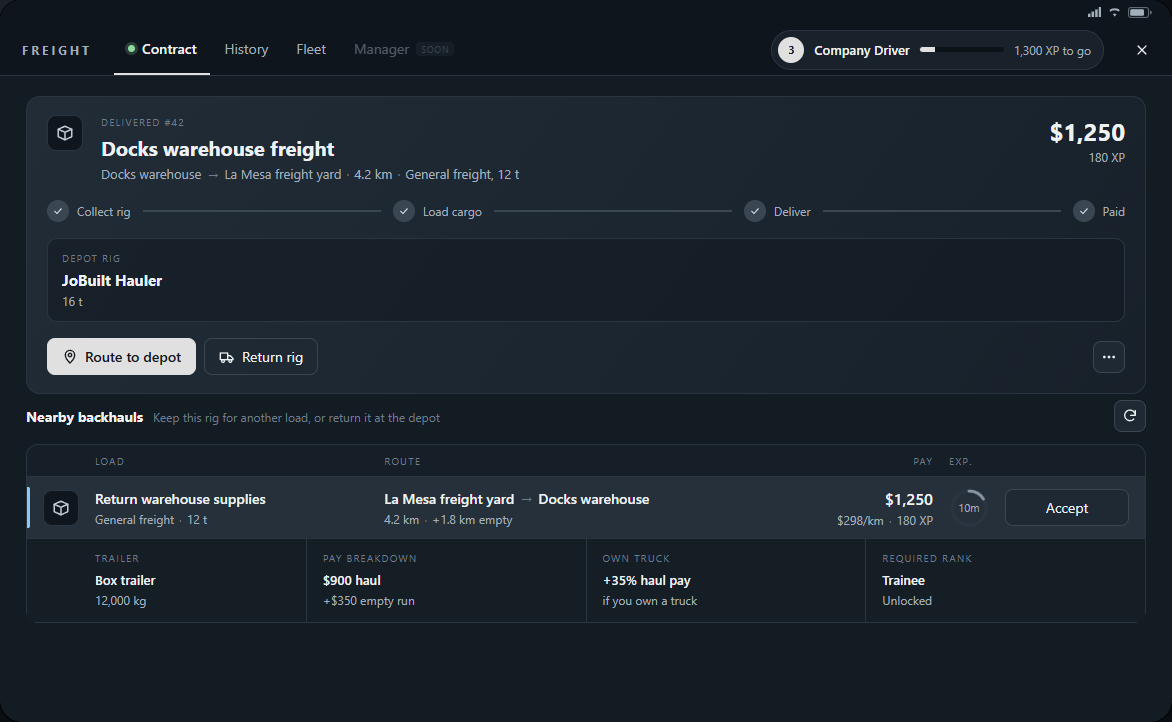
After payment, Nearby backhauls may offer a compatible load near your drop-off. Keep both assigned vehicles intact, expand an offer and press Accept to continue with the same rig without returning to the depot. Follow the new pickup route and load again; each delivery is paid separately. Backhauls expire after ten minutes and are not guaranteed. If none appear, return the rig before choosing another ordinary contract. With a truck and trailer that are both your own you skip all of this: the whole board stays open after a delivery, and you accept the next load from the driver's seat wherever you are.
Fuel-station resupply
A fuel station that runs low orders full tankers: 20,000 litres each, more than the legal 15,000. That makes every station delivery an overloaded run, hauled only with a truck and a tanker of your own and open to a police inspection on the way.
- Reach Experienced Trucker and own a truck that can carry the load and a tanker (both from the commercial dealership). Without them the offer shows Own rig and cannot be accepted.
- Open Resupply in Contracts and expand an offer. The pay is the litres the station receives times the station's price per litre; there is no distance or empty-run pay.
- Accept at the depot and pick your truck and tanker, or accept from the driver's seat anywhere with your own tanker already hitched. A large station may be served by several drivers at once; if its last load is taken, refresh dispatch and choose another offer.
- Fill at the refinery valve, where the only quantity is the full tanker, sign the manifest and unload at the station's valve. Litres lost to a spill are not paid, so protect the tanker.
Fuel terminal runs
Bristols Fuel Storage in the port buys fuel all day with no contract, at a lower price per litre than a station. It is the run you can always do with a truck and a tanker of your own, from the rank of Trucker.
- Clock in, then stop your own truck and tanker by the refinery valve. Get out with a Wrench in hand, hold Left Alt on the valve and choose Fill for terminal: the hose is in your hand.
- Couple the hose at the back of the tanker and choose the quantity at the valve: the legal 15,000 litres, or 20,000 when the overload is offered to you. Uncouple, hang the hose back and sign the manifest in your cab.
- Drive to Bristols. At either of its two valves choose Unload here, couple the hose and let it pump. You are paid when the hose is back on the valve, for the litres delivered.
- Start the next run whenever you like. Nothing is accepted and nothing expires.
- The load stays in your tanker if you disconnect, clock out or end the run in Freight. Come back on duty, drive it to Bristols and choose Unload here to pick it up again. Only you can unload it.
- A loaded tanker cannot be parked in the Truckmania Yard or put on a contract.
- To get rid of a load, cut its seal with a Cable Cutter at the back of the tanker, then choose Dump load in the same place. It is gone for no pay.