Gathering and storing materials
Completed tow calls deposit salvage in your permanent workshop locker. Different wrecks yield different amounts of metal scrap, steel, iron, aluminium, copper, plastic, rubber and glass; longer tows can bring more scrap.
The Workbench combines materials in your pockets and locker automatically, using your pockets first. You do not need to carry all the locker materials to the counter. Keep space for both salvage and finished kits.
- Repair kit: 5 metal scrap, 2 steel, 2 iron, 1 copper and 1 rubber.
- Tyre kit: 5 rubber, 1 steel, 2 iron and 1 plastic.
- Advanced repair kit: 10 metal scrap, 5 steel, 4 aluminium, 3 copper, 3 rubber, 3 plastic and 3 glass.
Making your first kit
- Clock in and open the Workshop Parts Counter with Left Alt. Select the Workbench tab in the same window.
- Choose a kit and inspect its material card. Have and Need include your pockets and locker; Missing materials means at least one ingredient is short.
- For a first craft, gather the repair-kit ingredients and press Craft. Stay at the counter and wait for the 12-second craft to finish.
- Read the result and check TAB for your kit. If your pockets are full, the finished kit goes to your locker instead.
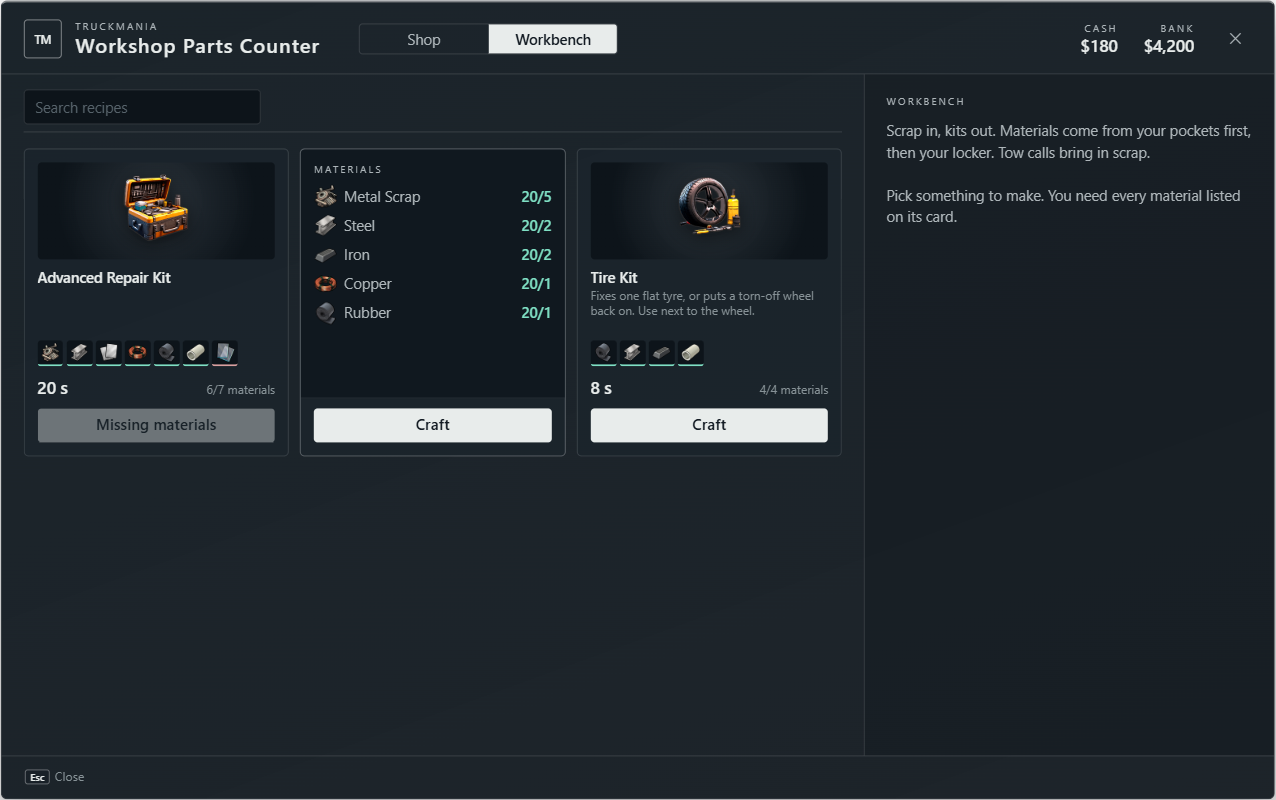
If crafting is refused, check duty, distance, every ingredient and storage space. Buy a kit from the Shop tab when you need supplies before enough salvage is available.