Preparing a recovery
- Clock in and open Dispatch in Roadside. Read a Tow call: distance from you, estimated journey to the yard, payment, XP, scrap multiplier and expiry.
- Accept the tow. Visit the workshop garage attendant and hold Left Alt to Take out a flatbed if you do not already have one.
- Follow the wreck route. Park the flatbed with its rear facing the assigned wreck, close enough to hook it and with room for the vehicle to climb onto the bed.
Only your assigned tow wreck or roadside-call vehicle can be loaded. The bed accepts supported cars and vans up to 6.2 metres long; trucks, bikes, boats and aircraft do not fit.
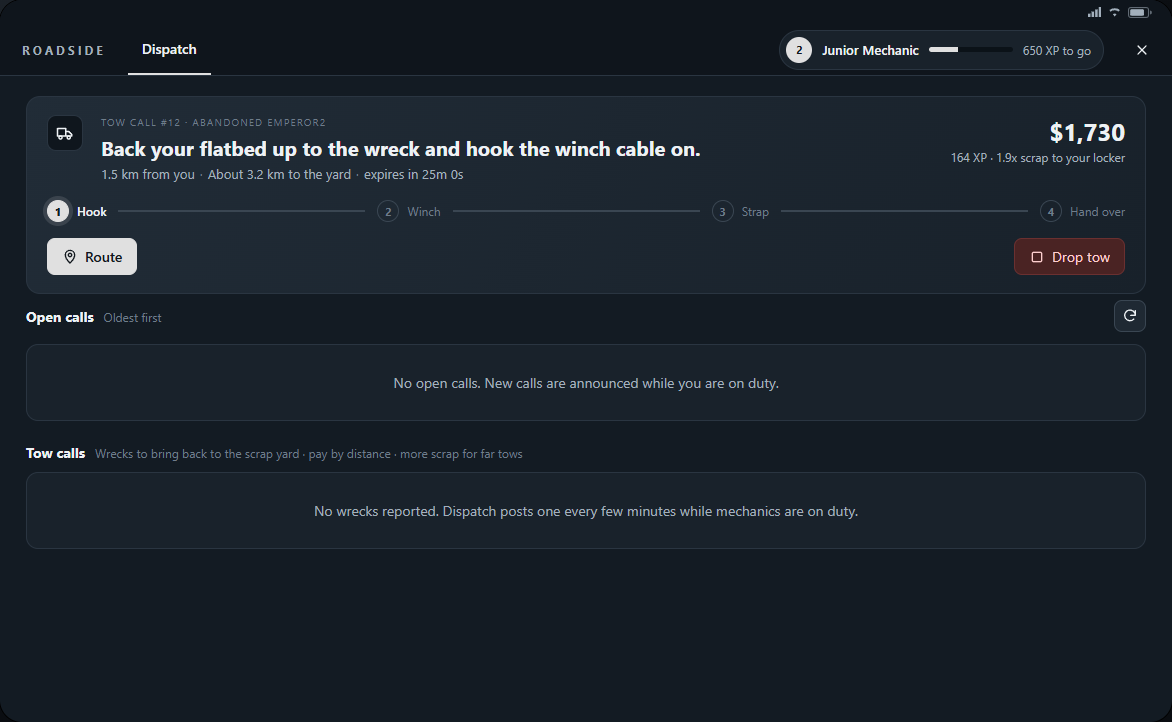
Hook, winch and secure
- Get out, hold Left Alt at the wreck and choose Hook to your flatbed. Wait for the hook progress to finish.
- Move to the flatbed's rear, target it and choose Operate the winch. Hold E to pull the vehicle up. X or walking away stops the winch; resume it to finish.
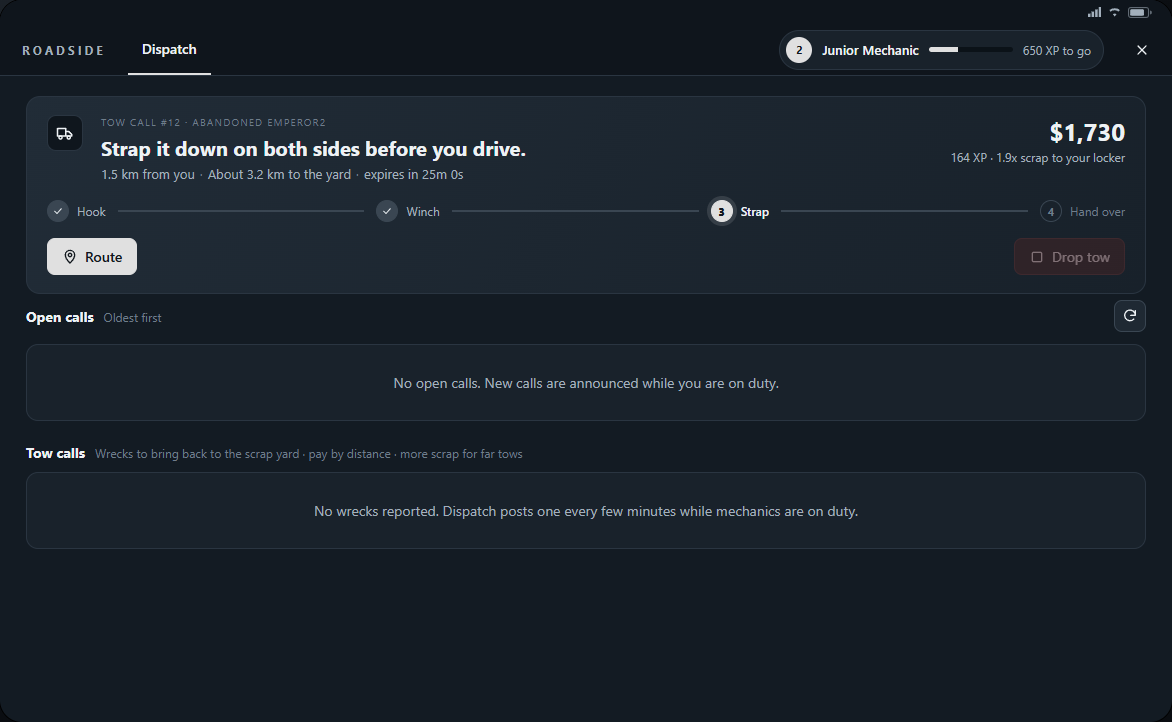
- Once the vehicle is on the bed, stand on one side, target the flatbed and choose Tighten the strap on this side. Repeat from the other side.
- Check that both straps are secured before driving. Roadside changes to the delivery step and GPS leads to the scrap yard drop-off.
Handing over and collecting salvage
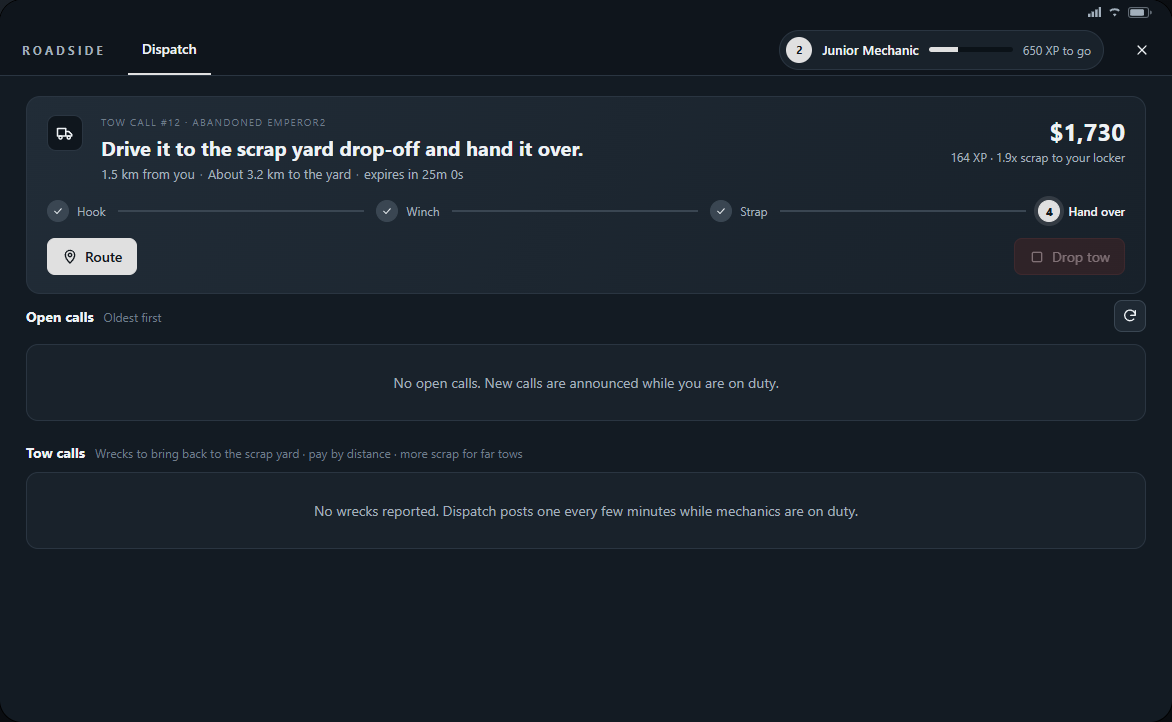
- Drive carefully to the marked scrap yard drop-off. Stop inside the ring with the secured wreck on your flatbed.
- Get out, hold Left Alt at the flatbed and select Hand over the wreck. A wreck already unloaded inside the drop-off can also be handed over by targeting the wreck itself.
- Read the completion notice or phone text for payment and XP. Check your workshop locker for the recovered materials.
- Take another assignment or return the empty flatbed to the workshop garage and talk to the yard attendant to hand it back.
- Unload rolls the vehicle off behind the flatbed. Leave space; unload a player's vehicle at the agreed safe destination instead of scrapping it.
- Drop tow returns an assignment to the board; if hooked or loaded, release or unload the wreck first.
- If the load slides off, stop safely and check the assignment before hooking it again.
- A missing wreck or expired uncollected call can close the job. Read Dispatch and the notification before attempting another recovery.
- Keep space in your locker for salvage. Longer tow routes can bring a larger scrap multiplier.