Join and find the workshop
Your first goal is one completed repair call. Start with the right supplies so you can fix the reported damage when you arrive.
- Choose Mechanic with /class. Follow GPS to the Scrap Yard Workshop in Grand Senora; joining the class leaves you off duty.
- Walk up to the foreman, press E to talk and choose Clock in. You put on workwear and can take calls and use advanced repair kits.
- Press F6 to open Roadside. Route to workshop gets you back to base whenever you need supplies.
Clock in and prepare
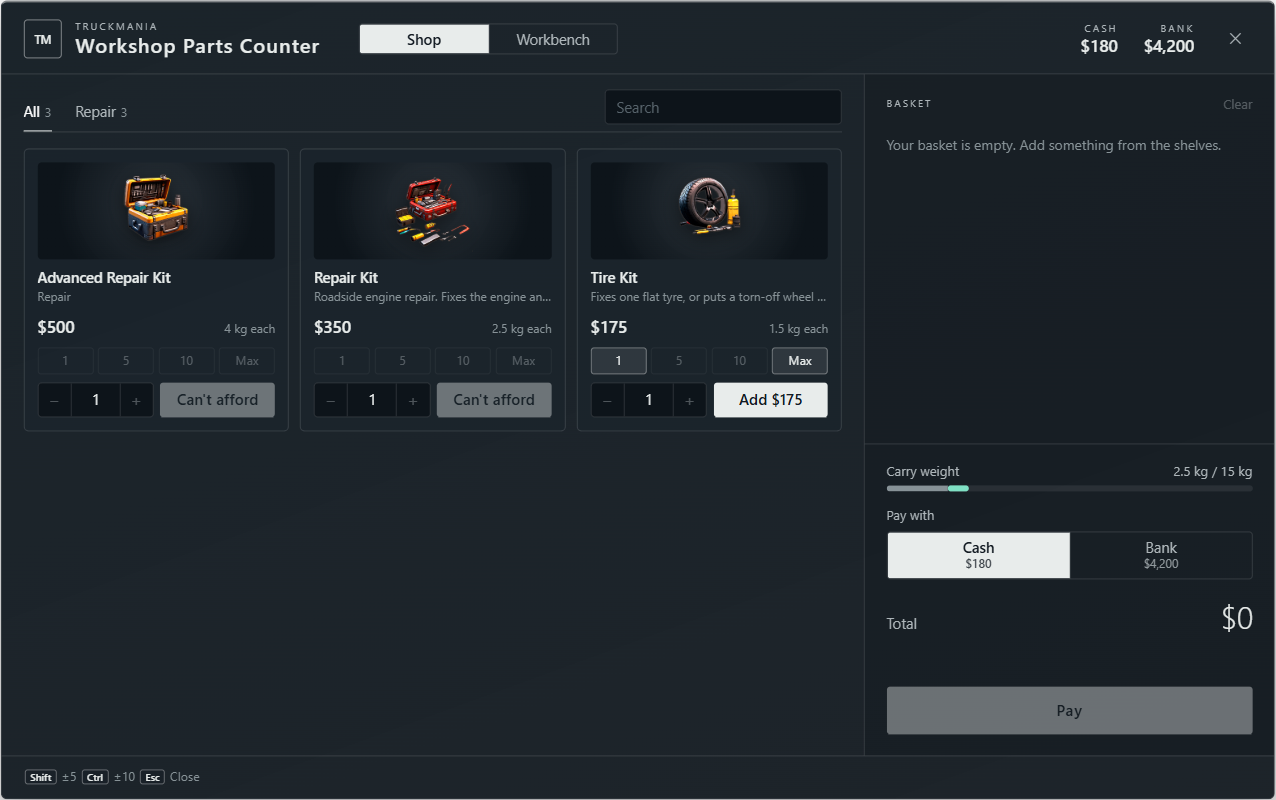
- Find the Workshop Parts Counter near the foreman and locker. Hold Left Alt to open it while on duty.
- Buy an advanced repair kit for a complete vehicle repair, or pack simple repair kits and tyre kits for smaller jobs. Payment comes from your own money.
- Check your pockets with TAB before leaving. Bring the kits with you; equipment left in your locker cannot be used on the roadside.
Your first roadside job
- In Roadside, open Dispatch and read the Open calls. Choose a nearby repair call and press Accept; you can hold one roadside or tow assignment at a time.
- Follow GPS to the vehicle and check its plate against your call. Park safely, get out and stand by its engine bay.
- Open TAB and use the appropriate kit. Stay close until the repair finishes; use a tyre kit beside each remaining damaged wheel if needed.
- Check Still to fix in Roadside. Once all damage reported at the call is repaired, billing and your payment happen automatically. Read the completion notice or phone text.
- Return to the workshop to restock. Hand back any flatbed, then Clock out with the foreman when you finish your shift.