Finding and opening a shop
- Open the full map from ESC, Overview, Explore the map. Find the store by its marker name and set a waypoint.
- Walk to the counter, hold Left Alt and choose Browse followed by the store name. At a supported vending machine, choose Browse Vending Machine.
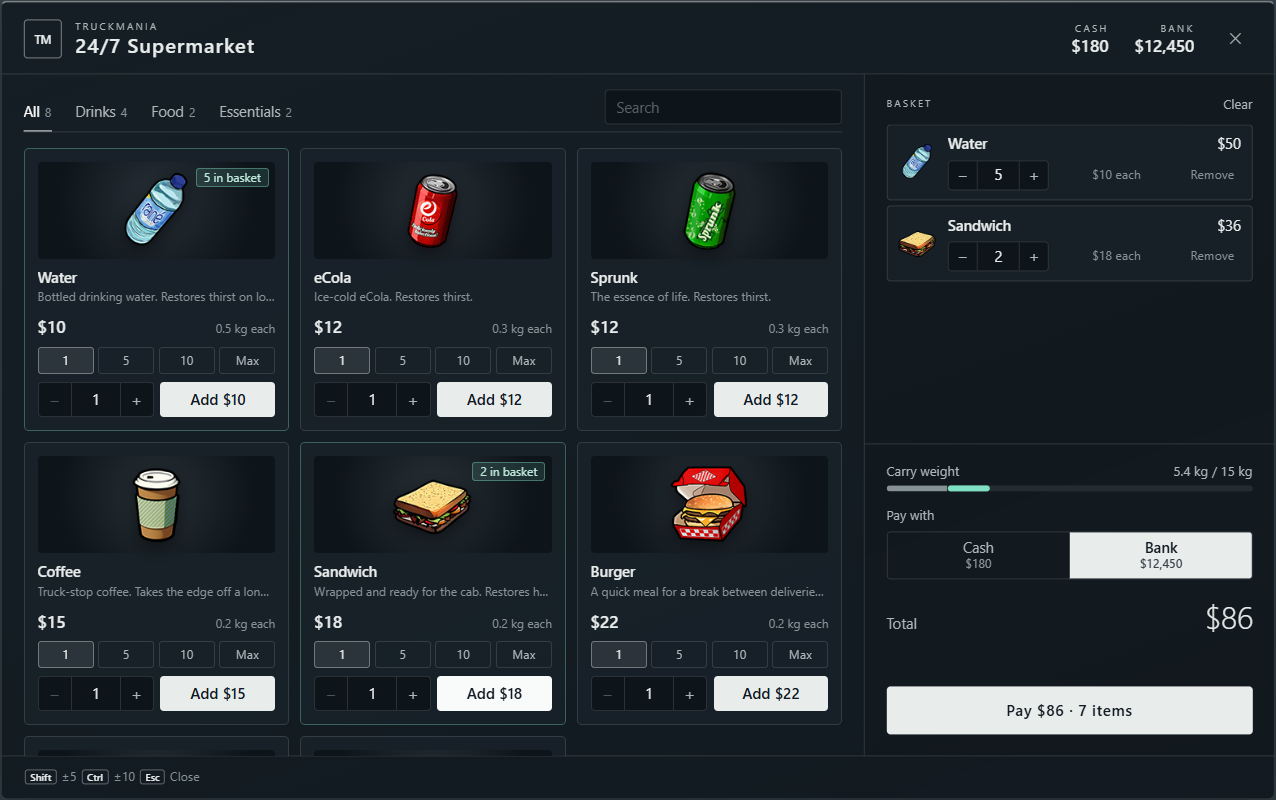
- Use the category tabs to narrow the shelves, or type an item name or description in Search. Read the item description, price and weight before adding it.
- Stay at the counter while buying. Click Close or press ESC to leave. If you are typing a search, ESC first clears that search; press it again to close.
- 24/7 Supermarket: water, soft drinks, coffee, food, bandages and lighters.
- Rob's Liquor: drinks, sandwiches and lighters.
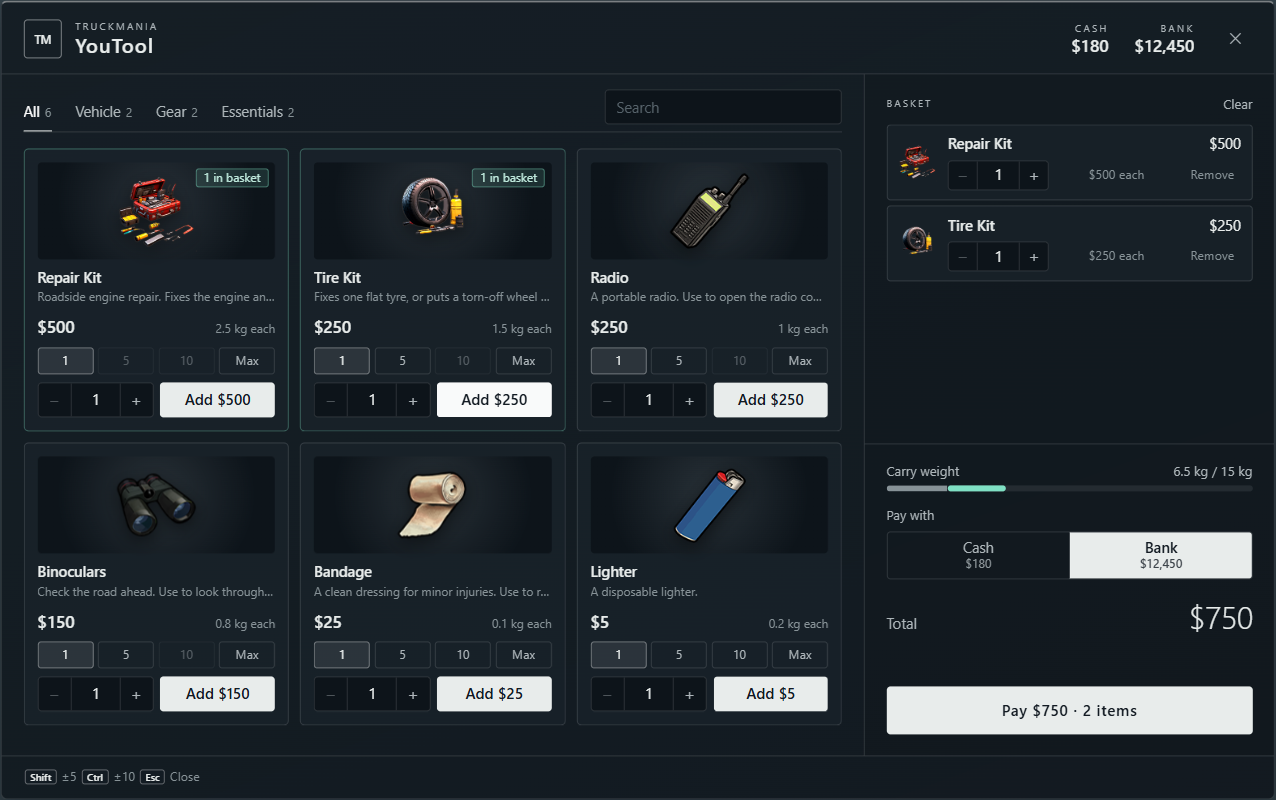
- YouTool: ordinary Repair Kits, Tire Kits, radios, binoculars, bandages and lighters.
- Vending machines: water, eCola and Sprunk, paid with cash only.
- Binco & Discount Store, Suburban and Ponsonbys: clothing from the store catalogue, with a fitting room.
- Workshop Parts Counter at the Scrap Yard Workshop: repair supplies and a Workbench for on-duty mechanics. Clock in with the foreman first; the counter is hidden from players who cannot use it.
Choosing quantities and building a basket
- On an item card, set the quantity with minus / plus, the number field or the 1 / 5 / 10 / Max presets. Holding Shift steps by 5; Ctrl steps by 10.
- Click Add to put that quantity into the basket. Adding is a selection; payment happens when you click Pay.
- Check the basket on the right. Adjust quantities there, remove an unwanted line or use Clear to empty it.
- Review Total and Carry weight. The weight shown includes the items in your basket, so leave room for the rest of your shift supplies.
Paying and checking what you received
- Choose Cash or Bank under Pay with when the shop offers both. Check the balance of the account you selected; the other account does not cover a shortfall.
- Review the total and the item count on Pay, then click it to buy. Wait for the purchase result before clicking again.
- Read the result message and press TAB after leaving the shop to check your inventory. Purchased supplies are items to carry and use; buying food does not immediately eat it.
- If the purchase is refused, read the message and check your funds, inventory space and position at the counter. Reduce the basket or make room before trying again.
Vending machines accept carried cash only. The Shop tab in the pause menu is separate: its VIP packages and other offers use TMC, not the Cash or Bank payment used at ordinary stores.
Preparing supplies for the road
- Carry water or another soft drink and some food before a long shift. Use them from your inventory to restore thirst and hunger; quick-access slots keep frequently used supplies close.
- Carry an ordinary Repair Kit for engine and fuel-tank damage and a Tire Kit for a flat or missing wheel. Use the repair kit at the engine bay and the tyre kit beside the affected wheel.
- YouTool sells ordinary repair supplies to drivers. Advanced Repair Kits are sold at the Workshop Parts Counter and require an on-duty mechanic to use.
- Mechanics: clock in, then buy repair supplies at the workshop parts counter. Purchases are paid from your own selected Cash or Bank balance. The Workbench tab offers recipes when crafting is available; read the required materials before starting.
- Leave bank money for fuel and roadside service, and inventory room for work items. Buy enough for the trip rather than filling every slot with supplies.
Trying on and buying clothing
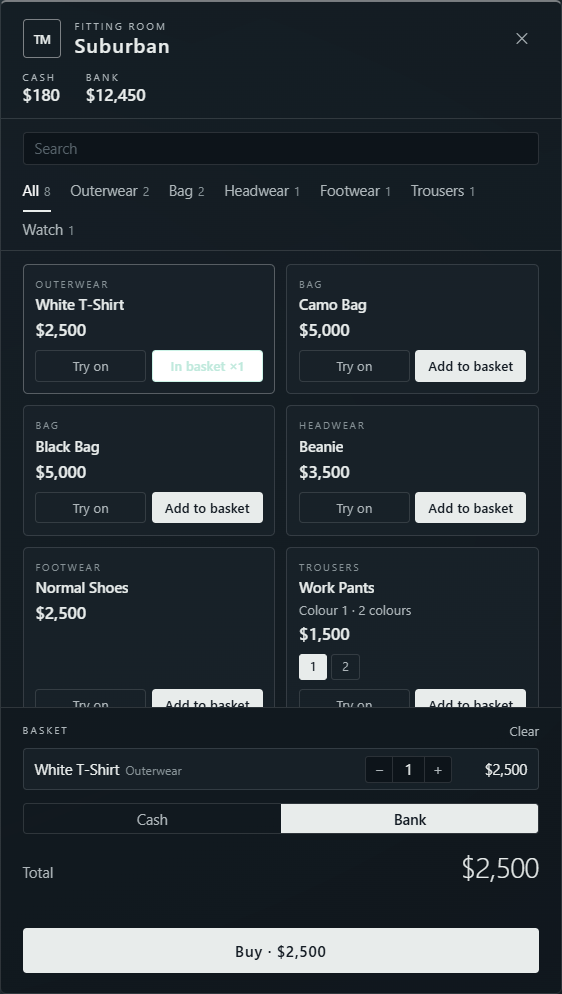
- Open a clothing store at its counter. Browse categories or search for a piece. The catalogue shows clothing suited to your character.
- Click a piece or Try on to preview it. Choose a colour with its swatch or numbered option when available. Owned marks a look you already carry.
- Drag or use A / D to turn your character, scroll to zoom, or use the Full / Head / Body / Legs / Feet camera buttons. Reset look restores the outfit you entered with.
- Add the pieces and colours you want to the basket, select Cash or Bank, then click Buy. Read the result and check your inventory.
- Leave the store and press TAB. Drag the purchased clothing item into its matching equipment slot to wear it. Buying a piece does not equip it; leaving the fitting room restores your original look.