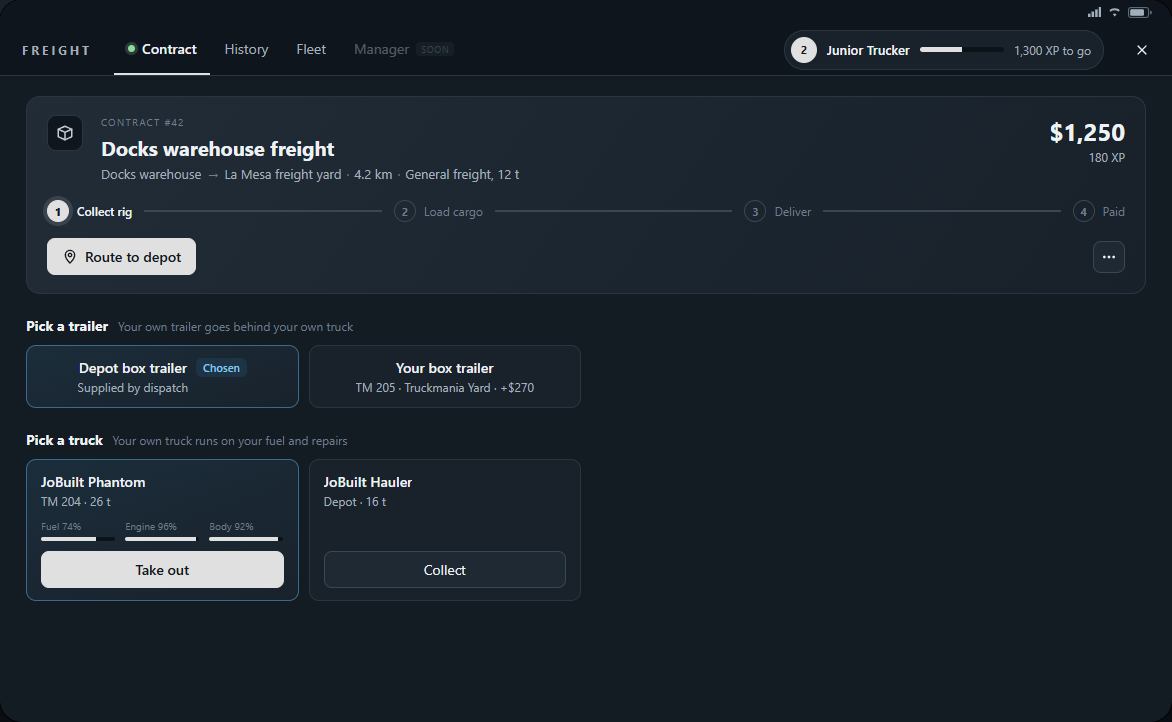
Choose a suitable truck, attach its trailer and leave the depot safely.
Collecting a company rig
Accept a contract at the depot. The depot issues one truck, the JoBuilt Hauler, free and fuelled. Any bigger truck has to be your own.
Choose your truck. Dispatch gives you keys and places the truck and required trailer in separate free bays. You enter and attach them yourself.
Use the assigned truck and trailer markers to find your rig. If bays are occupied, let other drivers clear them and try again.
The depot Hauler carries up to 16 tonnes. Heavier loads need a truck you bought.
Matching the truck to the load
Your rank licenses the cargo; your truck has to be rated for its weight. The depot Hauler carries up to 16 tonnes: general freight, refrigerated goods, fuel and crude oil.
Timber weighs 26 tonnes and needs a Phantom or bigger. Machinery starts at 30 tonnes and needs a Hauler Custom or bigger; the heaviest machinery contracts need a Packer or a Phantom Custom.
A contract you are licensed for but cannot carry shows the truck it needs instead of Accept. Buy that truck at a dealership to take it.
Dispatch always supplies the correct trailer: box, refrigerated, tanker, log trailer or flatbed.
Coupling and manoeuvring
Line the truck up straight with the front of your assigned trailer. Reverse slowly until the fifth wheel sits under the trailer and it attaches.
Pull forward gently and check that the trailer follows. If loading refuses to start, check you attached the assigned trailer.
Take wide corners, watch the trailer in tight yards and slow down before reversing. Stop and straighten the rig if it starts to jackknife.