Reading Dispatch
Press F6 or use /roadside while employed as a mechanic. Clock in to see Dispatch. Open calls are player requests; Tow calls below them are abandoned wrecks for the scrap yard.
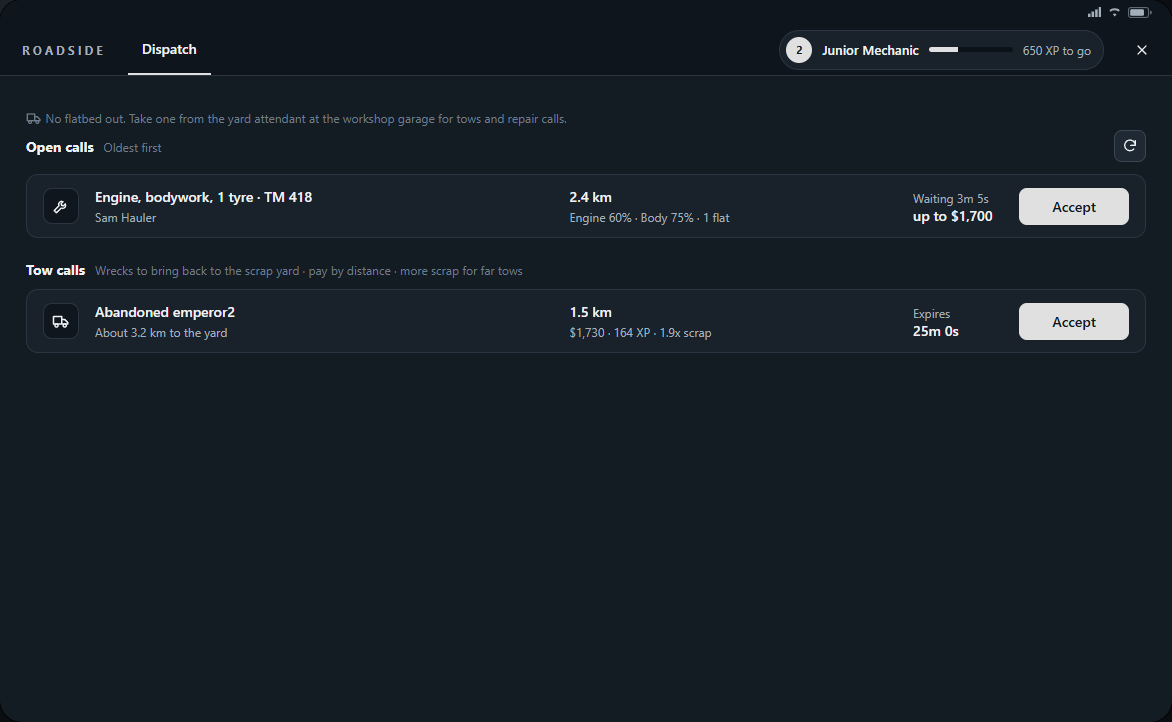
- Problem and plate identify the vehicle and its reported damage. The caller does not fill in a form: damage is recorded when they request help.
- Engine and Body percentages and the flat-tyre count help you choose supplies. Waiting shows how long the caller has been waiting.
- Up to is the maximum agreed bill, not guaranteed earnings. The actual charge depends on your repairs and the caller's available bank money.
- Accept assigns the call and sets GPS. You cannot take your own request or hold a roadside and tow assignment together.
- Use the refresh button to check Dispatch. The app also updates while open; another mechanic may take a call before you do.
Reaching and repairing the vehicle
- Accept a call you can handle and follow the route. Use Route on your current assignment if you need to set GPS again.
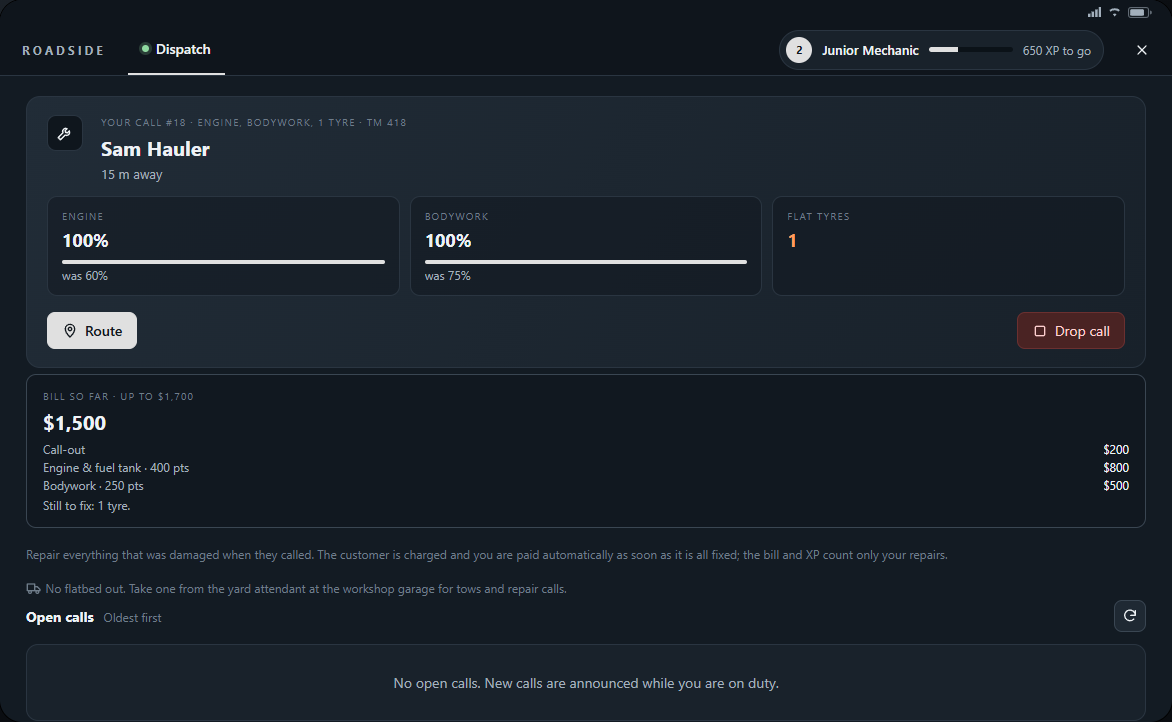
- In a vehicle, press K and cycle to Roadside to see the next action and distance. On scene it shows what remains to fix and the bill so far.
- Check the plate, speak to the caller and park safely. Get out and use kits at the correct engine bay or wheel.
- Repair everything that was damaged when the caller requested help. Check the current damage, bill and Still to fix in Roadside before leaving.
Finishing or handing back a call
Once all reported damage is fixed and you are near the vehicle, the caller is charged and you are paid automatically. There is no invoice to send or accept. Read the notification or phone text for actual payment and XP.
- Use Drop call if you cannot attend or finish it; the assignment returns to Dispatch.
- Clocking out or logging out releases your held call. Resigning requires clearing current work first.
- A call can close if the caller cancels or leaves, the vehicle disappears, or its 30-minute lifetime runs out.
- Repairs made by the caller before you accepted do not count as your work. A call with no measured repair earns no repair XP.
- If a payment notice says staff review, keep the call reference and contact staff through /ticket.