Protecting your cargo
Cargo starts at 100% when loaded. Damage to the truck and trailer lowers condition, so drive smoothly and leave braking room. In the truck, press K and cycle to the Freight tab to watch live cargo condition and any cold-chain countdown. In the tablet app, refresh dispatch to update the condition reading.
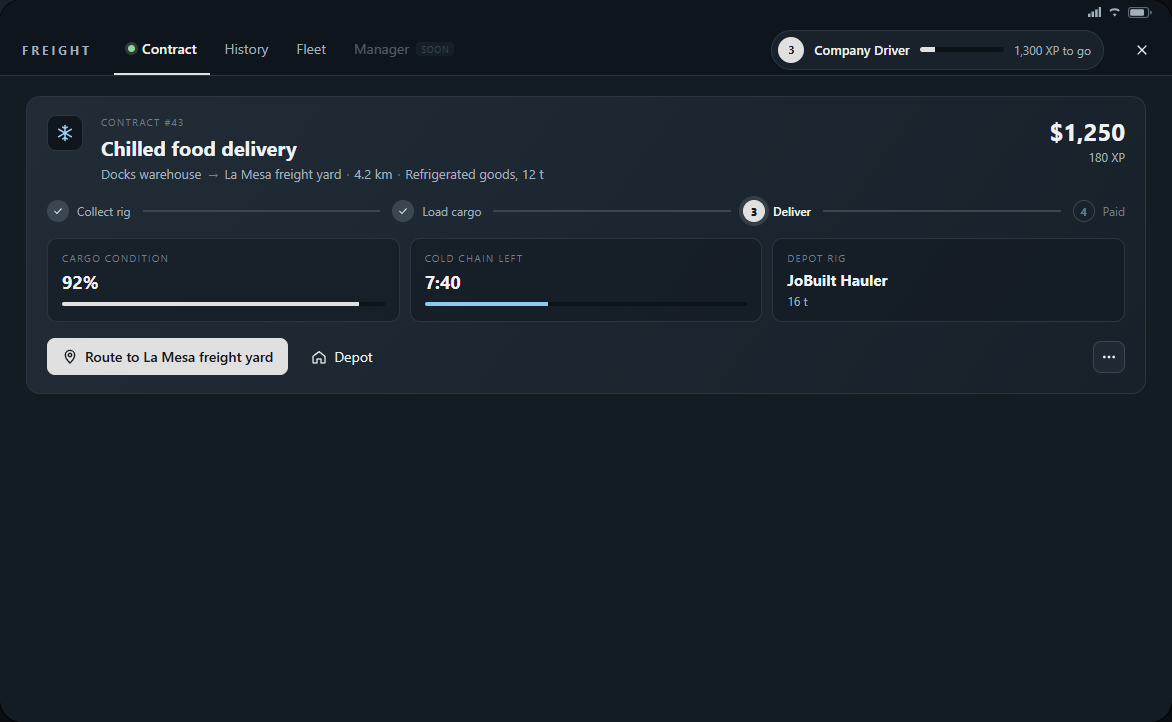
Each lost condition point deducts 1% of contract pay, capped at an 80% loss. The urgent on-time bonus is separate. For example, 90% condition means a 10% deduction from the pay subject to cargo damage; History shows the actual breakdown.
Looking after special cargo
- Refrigerated goods: the cold-chain limit starts when loaded. Deliver before it runs out; after that, spoilage steadily lowers condition.
- Fuel and crude oil: a hard tanker impact or rollover can spill cargo and start a fire. Slow down for corners and keep clear of hazards.
- Timber and machinery: rollovers and sharp high-speed swerves damage the load. Reduce speed before turns and avoid sudden steering.
- All loads: truck and trailer impacts count. Repairing the rig helps you continue driving but does not restore cargo already lost.
When a job cannot continue
- Rig lost before loading: the contract stays open. Return to the depot and collect a replacement rig.
- Assigned truck or trailer destroyed or lost after loading: the cargo is lost and the job fails with no reward. Check Freight before starting another job.
- End contract or return an unfinished rig: confirm the release only if you are abandoning the load. There is no payment and dispatch applies a cooldown.
- Disconnecting, logging out or a server restart ends unfinished work. Earned XP and paid deliveries remain; start a new contract after returning.
- If the rig is still usable but needs repairs, stop safely and request roadside help. A cold-chain timer continues while you wait.